
Last updated 08-21-2026
Category:
Reviews:
Join thousands of AI enthusiasts in the World of AI!
Sunsama
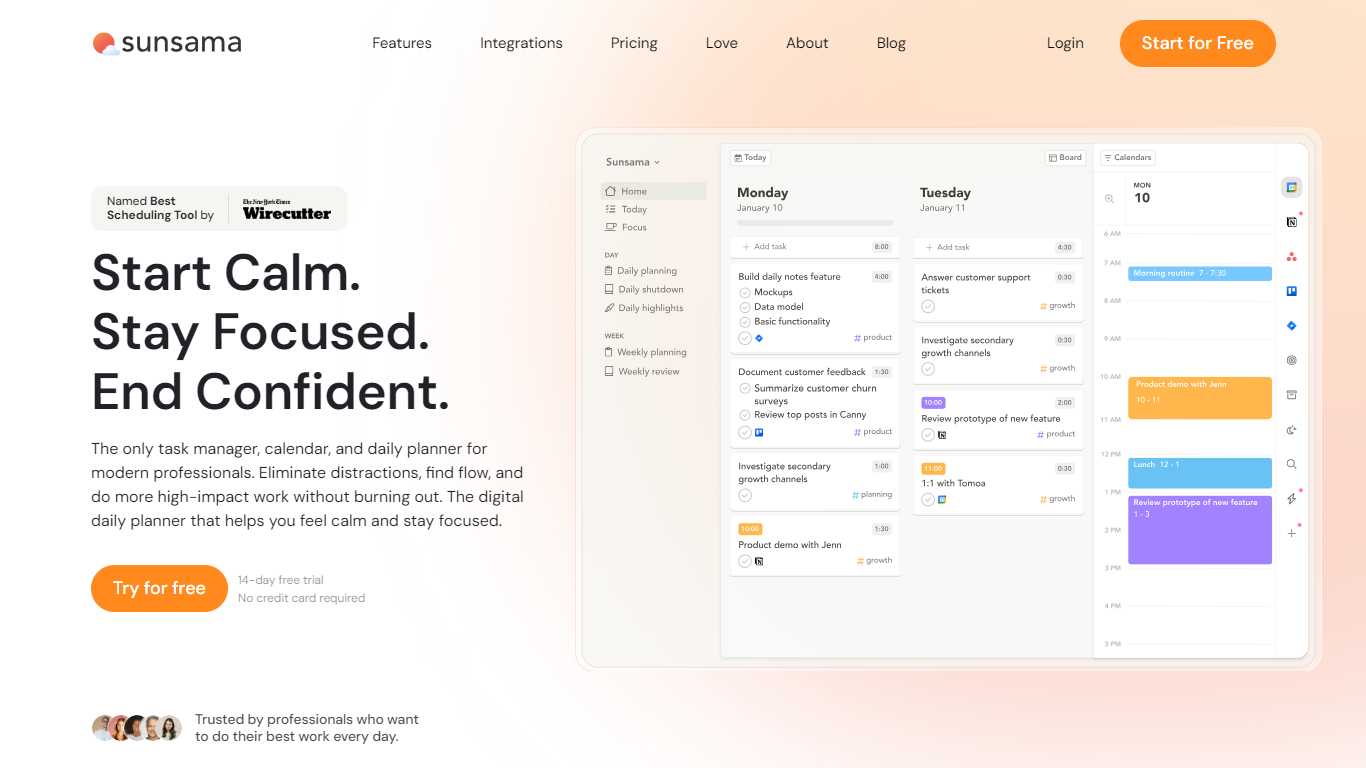
Sunsama combines task management, calendar views, and guided daily rituals into one productivity planner for modern professionals who want calmer workdays. You plan what fits today, timebox tasks on your calendar, pull work in from tools like Asana, Gmail, Slack, and Notion, and close the day with a shutdown routine that records what you finished.
Unlike auto-schedulers that reshuffle your calendar for you, Sunsama pushes intentional planning: you decide the load, block focus time yourself, and adjust as meetings land. The company is explicit that it does not offer a free-forever tier, pricing around one workday per month instead of racing to the bottom on subscriptions.
It suits people juggling tasks and meetings who want one calm view of the day: product managers, designers, founders, and ops leads at companies that need SOC 2 compliance or SAML for approval. Integrations span Google Calendar, Outlook, Jira, Linear, Todoist, Trello, Zapier, and more, with desktop apps for macOS, Windows, and Linux plus iOS and Android.
14-day free trial with unlimited access and no credit card required
Pro plan at $22 per month or $17 per month billed yearly ($204 per year)
Pull tasks from Asana, Jira, Linear, Todoist, Trello, Notion, Gmail, Slack, and Teams
Timebox tasks directly on Google, Outlook, and Apple calendars in one view
Guided daily planning, focus mode with Pomodoro timers, and an automatic shutdown ritual
SOC 2 compliant with SAML and SSO on the Enterprise tier
Combines tasks, calendars, and shutdown rituals in one daily workflow instead of juggling separate apps.
14-day trial needs no card, so you can test the full planner before subscribing.
SOC 2 compliance and SAML or SSO options make it easier to get approved at larger companies.
No free forever tier, so ongoing use requires a paid Pro or Enterprise subscription after the trial.
Per-seat team pricing adds up quickly when you invite colleagues to a shared workspace.
Does Sunsama offer a free trial?
Yes, Sunsama offers a 14-day free trial with unlimited access to all features. You are not asked for a credit card until you decide to subscribe after the trial ends.
How much does Sunsama Pro cost?
Sunsama Pro is $22 per month when billed monthly or $17 per month when billed yearly, which equals $204 per year. The plan includes unlimited usage and unlimited integrations for one person.
Does Sunsama have a free forever plan?
No. Sunsama does not offer a free forever tier. You can try the full product for 14 days, then subscribe to Pro or contact the team for Enterprise if you need SSO, SAML, or custom compliance.
What apps does Sunsama integrate with?
Sunsama connects to calendar apps like Google Calendar and Outlook, project tools like Asana, Jira, Linear, and Monday, task apps like Todoist and Trello, and messaging tools like Gmail, Slack, and Microsoft Teams. Zapier extends it to thousands more apps.
Is Sunsama available on mobile and desktop?
Yes. Sunsama has native apps for iOS, iPadOS, Android, macOS, Windows, and Linux. Your daily plan and calendar sync across those clients once you sign in.
How does Sunsama pricing work for teams?
When you invite a colleague to your Sunsama workspace, they are added to your plan and billing updates automatically. Team pricing is $25 per person per month or $20 per person per month on yearly billing.