
Last updated 07-18-2026
Category:
Reviews:
Join thousands of AI enthusiasts in the World of AI!
tts4free
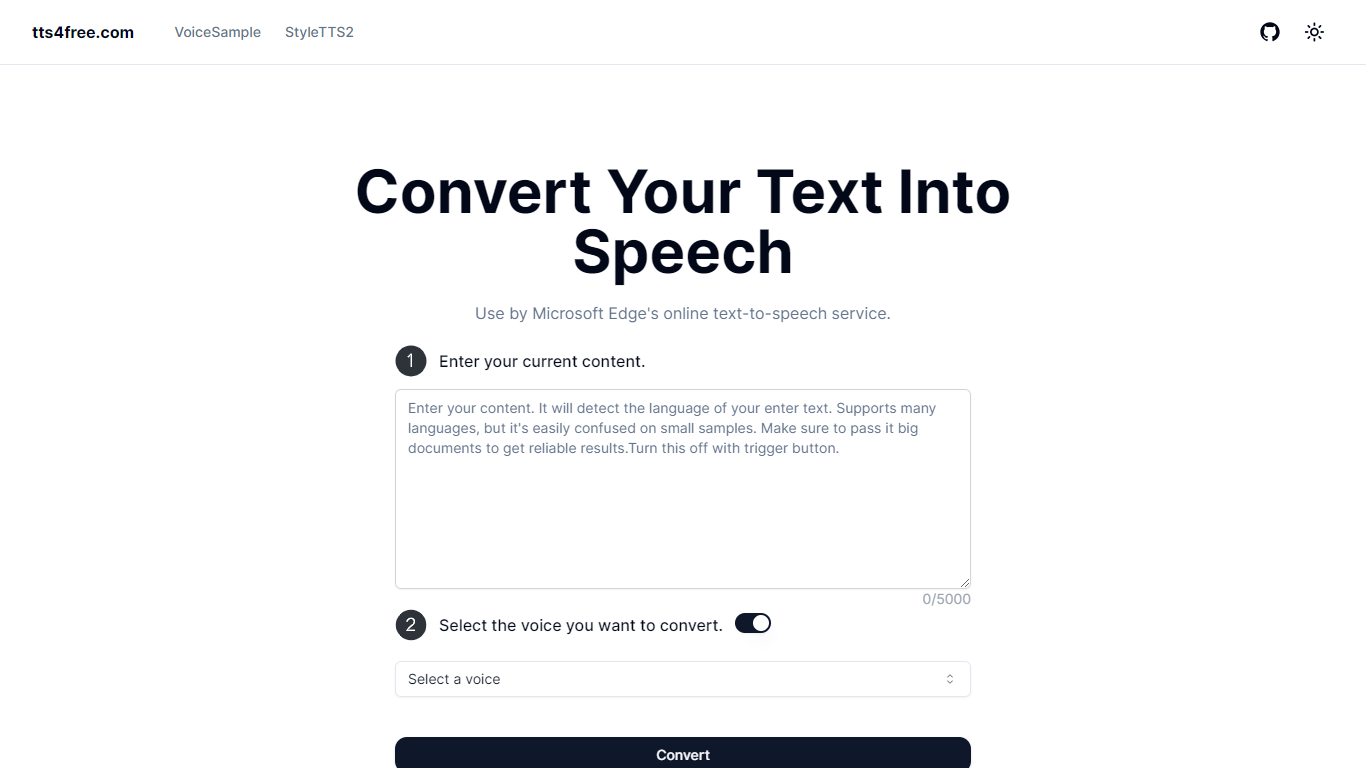
tts4free.com is a free online text-to-speech converter that turns typed text into downloadable audio using Microsoft Edge's online voices. Paste up to 5,000 characters, pick a voice, and hit Convert without creating an account or paying anything.
The site runs on Next.js with edge-tts and pulls from Microsoft's natural-sounding online TTS catalog. A separate VoiceSample page lists voices by language and style so you can preview options before converting your own text.
It fits students, language learners, accessibility users, and anyone who wants written content read aloud in the browser. The interface stays minimal: text box, voice selector, and a single convert action.
Paste up to 5,000 characters and convert them to speech in one click
Pick from Microsoft Edge natural voices spanning 20+ languages
No signup or login required to start converting text
Browse the VoiceSample page to preview voices by language and style
Runs in the browser on Next.js with edge-tts for quick online conversion
Completely free with no account required to start converting text.
Large catalog of Microsoft natural voices across many languages and regional accents.
VoiceSample page lets you preview voices before running a full conversion.
Each conversion is capped at 5,000 characters.
No API, batch processing, or export format options are documented on the site.
No dedicated mobile app; browser access only.
Is tts4free free to use?
Yes. tts4free is free to use with no registration required. The homepage describes the service as free with fast conversion speed and no signup needed.
How many languages does tts4free support?
tts4free supports over 20 languages according to its homepage meta description. The VoiceSample page lists Microsoft natural voices across many locales, including English, Spanish, Chinese, Arabic, and more.
Do I need an account to use tts4free?
No. tts4free works without registration. You enter text on the homepage, select a voice, and click Convert.
What is the character limit on tts4free?
tts4free accepts up to 5,000 characters per conversion. The homepage input shows a 0/5000 counter as you type.
What technology powers tts4free?
tts4free uses Microsoft Edge's online text-to-speech service through edge-tts. The site footer credits Next.js and the edge-tts open-source project.
Does tts4free have a mobile app?
No dedicated mobile app is listed on tts4free.com. The tool is a browser-based web app accessible from desktop or mobile browsers.