
Last updated 08-31-2026
Category:
Reviews:
Join thousands of AI enthusiasts in the World of AI!
Alice
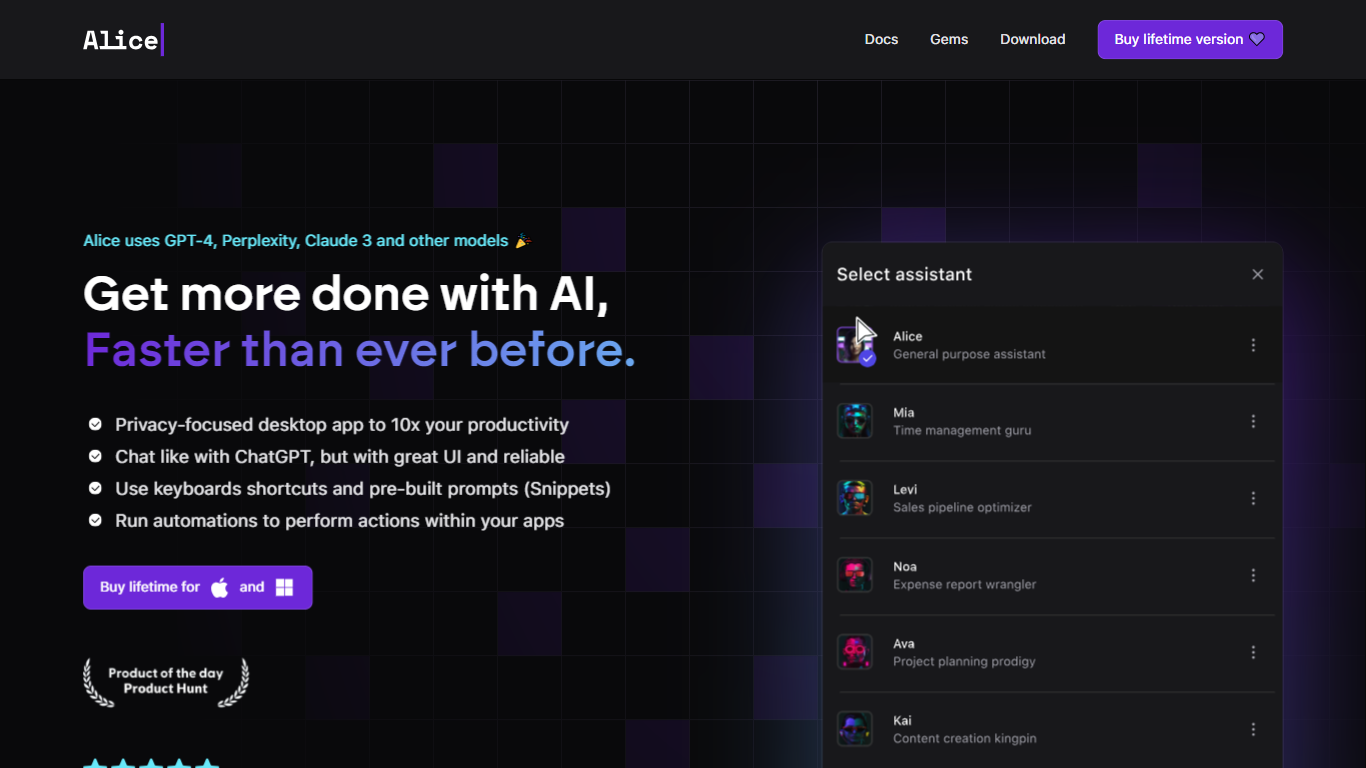
Summon a desktop productivity assistant from any app with a hotkey, without opening ChatGPT in a browser tab. Alice runs natively on macOS, Windows, and Linux, wrapping chat, custom assistants, document memory, and workflow triggers into one OS-level panel.
Where browser chat tools stop at answers, Alice is built around reusable assistants and one-click skills. The Assistant Store ships 50+ personas with 200+ installable skills, and version 5.0 added inline and threaded multi-agent modes plus ACP linking to Claude Code. MCP servers and MCP Apps let an assistant query your CRM or calendar in plain language, while Zapier, Make, n8n, and webhooks handle the follow-up actions.
You can bring your own API keys from OpenAI, Anthropic, Groq, xAI, and other providers, or subscribe to Alice plans that bundle tokens for GPT-5, Sonnet 4.5, Gemini 2.5 Pro, and Grok 4. Saved prompts become keyboard shortcuts, and the app supports voice input, text-to-speech, web search, vision, and local Ollama models.
Greg Rog and Adam Gospodarczyk at Techsistence in Warsaw built Alice after years of running their own automations. The product targets founders, creators, and small teams who want desktop-speed AI that can act on their software stack, not just draft text.
Version 5.0 adds inline and threaded multi-agent modes plus ACP connection to Claude Code
Assistant Store lists 50+ assistants with 200+ installable skills for sales, coding, and research
Hotkey summon on macOS, Windows beta, and Linux beta without loading a browser tab
MCP servers and MCP Apps let assistants query CRM, calendar, and other connected software
Runs GPT-5.2, Claude 4 Sonnet, Grok 4, Groq Llama 3.3 70b, and native Ollama local models
Save prompts as keyboard shortcuts such as Cmd+T translate or Cmd+G grammar fix
Connects to Zapier, Make, n8n, and webhooks to trigger workflows from a single command
Hotkey access from anywhere on the desktop is faster than opening a browser chat tab.
Version 5.0 multi-agent and ACP modes let assistants delegate tasks or connect to Claude Code.
50+ prebuilt assistants and 200+ skills cover sales, coding, writing, and research out of the box.
Zapier, Make, n8n, webhooks, and MCP servers let assistants trigger real workflows across your stack.
All paid plans include a 21-day trial before purchase.
Desktop only with no native iOS or Android app.
Windows and Linux builds are labeled beta and may need extra setup steps.
The $299 lifetime license does not include AI tokens; you need your own API keys or a subscription.
Subscription token usage is subject to fair usage limits that can block keys until renewal.
Which platforms does Alice support?
Alice is a desktop app for macOS, Windows, and Linux. macOS is the primary platform with separate Apple Silicon and Intel builds. Windows and Linux are available in beta. Alice does not run on mobile devices.
Do I need a ChatGPT Plus subscription to use Alice?
No. Alice does not require ChatGPT Plus. You can bring your own API keys from OpenAI and other providers, or use an Alice subscription plan that includes bundled model tokens.
Does Alice offer a free trial?
Yes. Alice offers a 21-day trial on its subscription and lifetime purchase options. You can download the app for free and start using it before buying a license.
Which AI models does Alice support?
Alice supports models from OpenAI (including GPT-5.2 and GPT-4o), Anthropic Claude 4, xAI Grok 4, Groq Llama 3.3 70b, and local Ollama models. Subscription plans bundle tokens for GPT-5, Sonnet 4.5, Gemini 2.5 Pro, and Grok 4.
How much does Alice cost?
Alice offers an Individual subscription from $16 per month, a Team plan at $10 per month plus token usage, and a Lifetime one-time purchase for $299. The lifetime plan includes the app but not AI tokens unless you add keys or a subscription.
Can Alice connect to other apps I use?
Yes. Alice integrates with Zapier, Make, n8n, webhooks, and MCP servers. Version 5.0 also adds full MCP Apps support, remote actions, and voice commands so assistants can trigger workflows across your stack.
Does Alice store my conversations locally?
Alice is designed for local, private use. The site states conversations, documents, and ideas stay on your machine, with offline model support available for users who want maximum privacy.