
Last updated 08-22-2026
Category:
Reviews:
Join thousands of AI enthusiasts in the World of AI!
Cursor
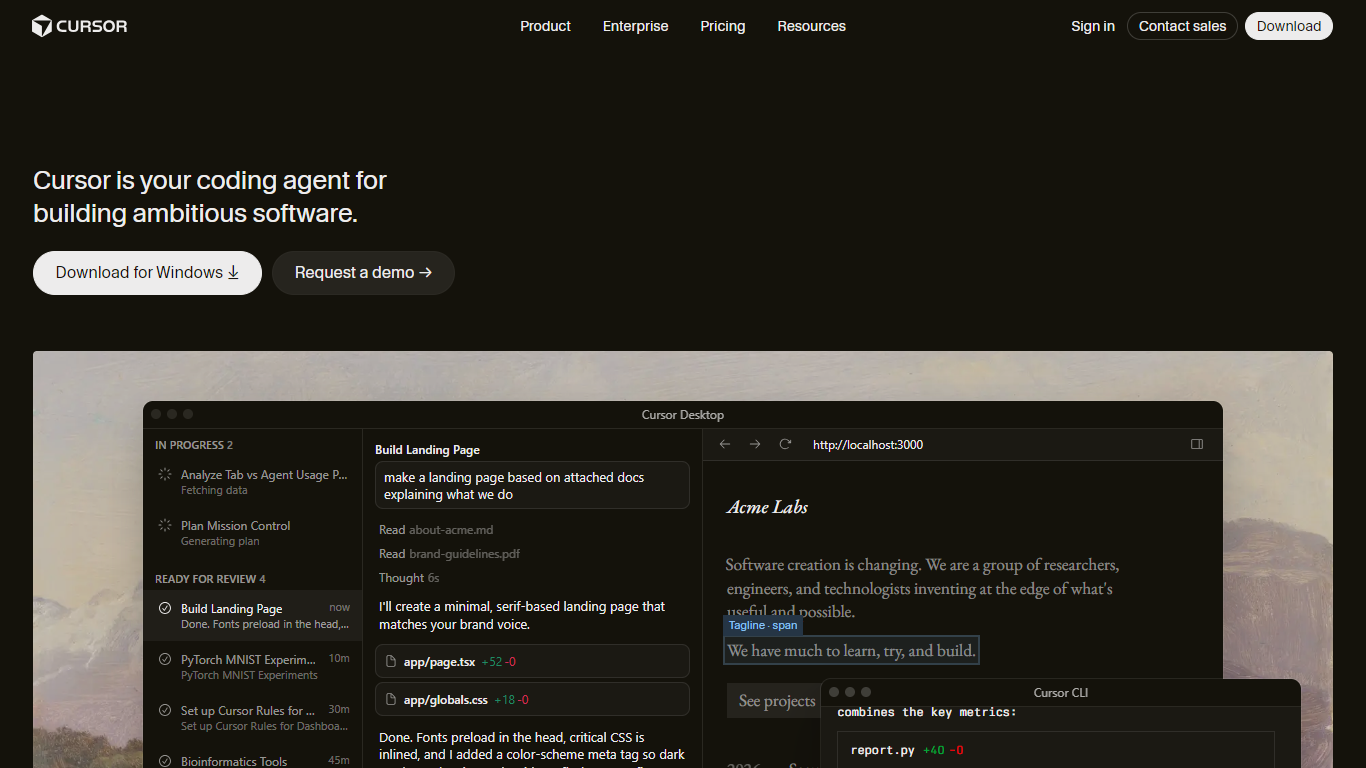
Cursor is a coding agent for building ambitious software across desktop, CLI, cloud, and Slack. It turns natural-language tasks into code changes, runs agents that build and test features end to end, and supports frontier models from OpenAI, Anthropic, Google, and Cursor's own Composer line behind one workspace.
Unlike a single-model chat sidebar, Cursor spans the full delivery loop: tab completions and Cmd+K edits for tight control, autonomous agents with their own environments for multi-file work, cloud agents that demo features on video, Bugbot PR reviews, scheduled automations, and MCP plus skills for custom tools. That breadth is the trade-off against lighter editors that only autocomplete the current file.
Cursor fits professional developers, platform teams, and enterprises that want agentic development without stitching together separate IDE, CI, and review tools. Hobby is free with limited agent requests. Pro starts at $20 per month, Teams at $40 per user per month, and Enterprise adds pooled usage, SCIM, audit logs, and access controls.
Autonomous agents build, test, and demo features with screen recordings
Cloud agents run in parallel across repositories with shared team context
OpenAI-compatible model picker spans GPT, Claude, Gemini, Grok, and Composer
Bugbot reviews pull requests with agentic code review on Teams plans
Automations run on schedules or triggers with MCP tools and custom skills
Covers IDE, cloud agents, CLI, Slack, and PR review in one product
Model picker includes every major frontier provider plus Composer
Cloud agents produce video walkthroughs of completed work
Team marketplace shares rules, skills, and plugins across organizations
Trusted by Fortune 500 teams with enterprise access controls
Usage-based model costs can add up beyond the monthly plan fee
Full agent autonomy requires learning when to use Cmd+K versus full Agent mode
Enterprise features like SCIM and audit logs require a sales conversation
Heavy agent runs depend on cloud infrastructure availability
What is Cursor?
Cursor is a coding agent for building software. It includes a desktop IDE, CLI, cloud agents, Slack integration, PR review via Bugbot, and support for frontier AI models to generate and edit code from natural language.
Is there a free version of Cursor?
Yes, Cursor offers a Hobby plan at $0 per month with no credit card required. It includes limited Agent requests and access to Composer, with paid Pro and Teams plans for higher limits.
How much does Cursor Pro cost?
Cursor Pro costs $20 per month on the Individual plan. It adds extended Agent limits, frontier model access, MCPs and skills, cloud agents, and usage-based Bugbot reviews.
Does Cursor work in the terminal?
Yes, Cursor ships a CLI installable with curl https://cursor.com/install. The terminal agent supports planning, searching the codebase, and running shell commands alongside the desktop app.
What models does Cursor support?
Cursor lets you choose between frontier models from OpenAI, Anthropic, Google, SpaceXAI, and Cursor's own Composer and Grok integrations. You can switch models per task from the agent picker.
Is Cursor SOC 2 certified?
Yes, Cursor is SOC 2 certified according to its security page. Teams can enable privacy mode so code data is not used for training by Cursor or model providers.