
Last updated 08-15-2026
Category:
Reviews:
Join thousands of AI enthusiasts in the World of AI!
MaskMyPrompt
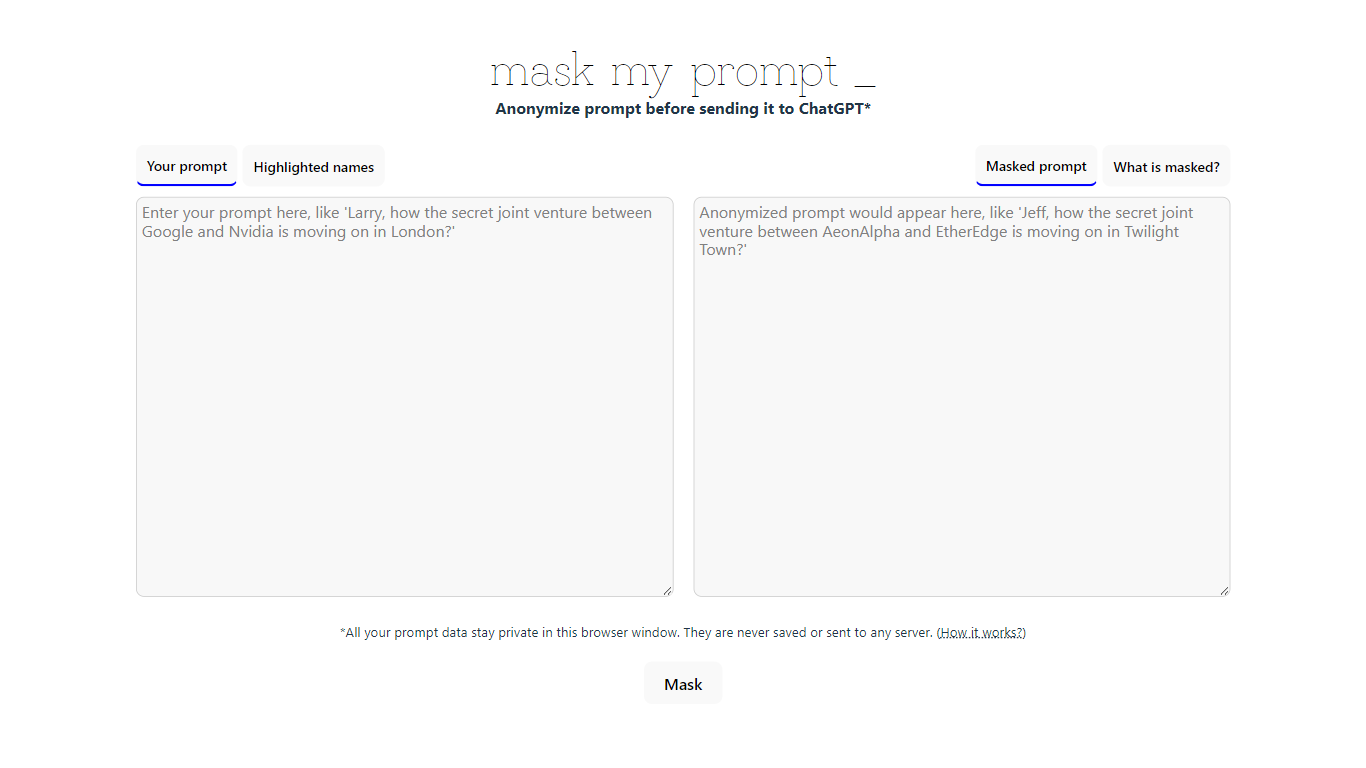
MaskMyPrompt lets you anonymize ChatGPT prompts by swapping real names for fake ones before you paste anything into the model. It works as a lightweight paraphraser focused on privacy: scan your text for people, organizations, and locations, then replace them with made-up stand-ins so confidential details never reach ChatGPT. Everything runs locally in your browser tab using Transformers.js, and the site states your prompt data is never saved or sent to any server.
Most privacy wrappers route text through a backend API, which means you still trust a third party with the raw input. MaskMyPrompt keeps the entire masking step on your device, which is a narrower but more private approach. The trade-off is a single-page utility with no team features, no pricing tiers, and no integrations beyond copy-paste into ChatGPT.
It fits developers, researchers, and anyone drafting ChatGPT prompts that mention real people or companies. Mike Ushakov built the tool, and you can reach him via email or Twitter for bug reports and feature requests.
Masks 3 entity types: people, organizations, and locations in your prompt text
Runs at maskmyprompt.com with no server upload; prompt data stays in the browser tab
Highlights detected names in the original text and shows the masked output side by side
Free single-page tool with no account or signup required
Contact Mike Ushakov at [email protected] or @maskmyprompt on Twitter for support
Keeps prompt masking entirely in the browser with no server upload.
Free with no signup required.
Highlights exactly which names were swapped before you paste into ChatGPT.
Single-page tool with no pricing, docs, or about pages beyond the homepage.
Built specifically for ChatGPT copy-paste, not a general API or plugin.
Thin feature set compared with enterprise data-loss-prevention tools.
Is MaskMyPrompt free?
Yes. MaskMyPrompt is a free browser tool with no pricing page or paid tier listed on the site. Paste your prompt, click Mask, and copy the anonymized version without creating an account.
Does MaskMyPrompt send my data to a server?
No. MaskMyPrompt states that all prompt data stays private in your browser window and is never saved or sent to any server. Masking runs locally using Transformers.js in the browser.
What does MaskMyPrompt mask?
MaskMyPrompt detects names of people, organizations, and locations in your text and replaces them with made-up names. The original prompt shows highlighted entities, and the masked output shows what to paste into ChatGPT.
Who built MaskMyPrompt?
MaskMyPrompt was programmed by Mike Ushakov with help from ChatGPT. The site credits Transformers.js for the in-browser model and lists contact via [email protected] or Twitter at @maskmyprompt.
Which AI tool does MaskMyPrompt work with?
MaskMyPrompt is designed for ChatGPT prompts. You anonymize text on maskmyprompt.com, then copy the masked version into ChatGPT so real names and places do not reach the model.
Does MaskMyPrompt have a mobile app?
No dedicated mobile app is listed. MaskMyPrompt runs as a browser page at maskmyprompt.com and works on mobile browsers the same way as desktop.