
Last updated 07-24-2026
Category:
Reviews:
Join thousands of AI enthusiasts in the World of AI!
UnderlayX AI
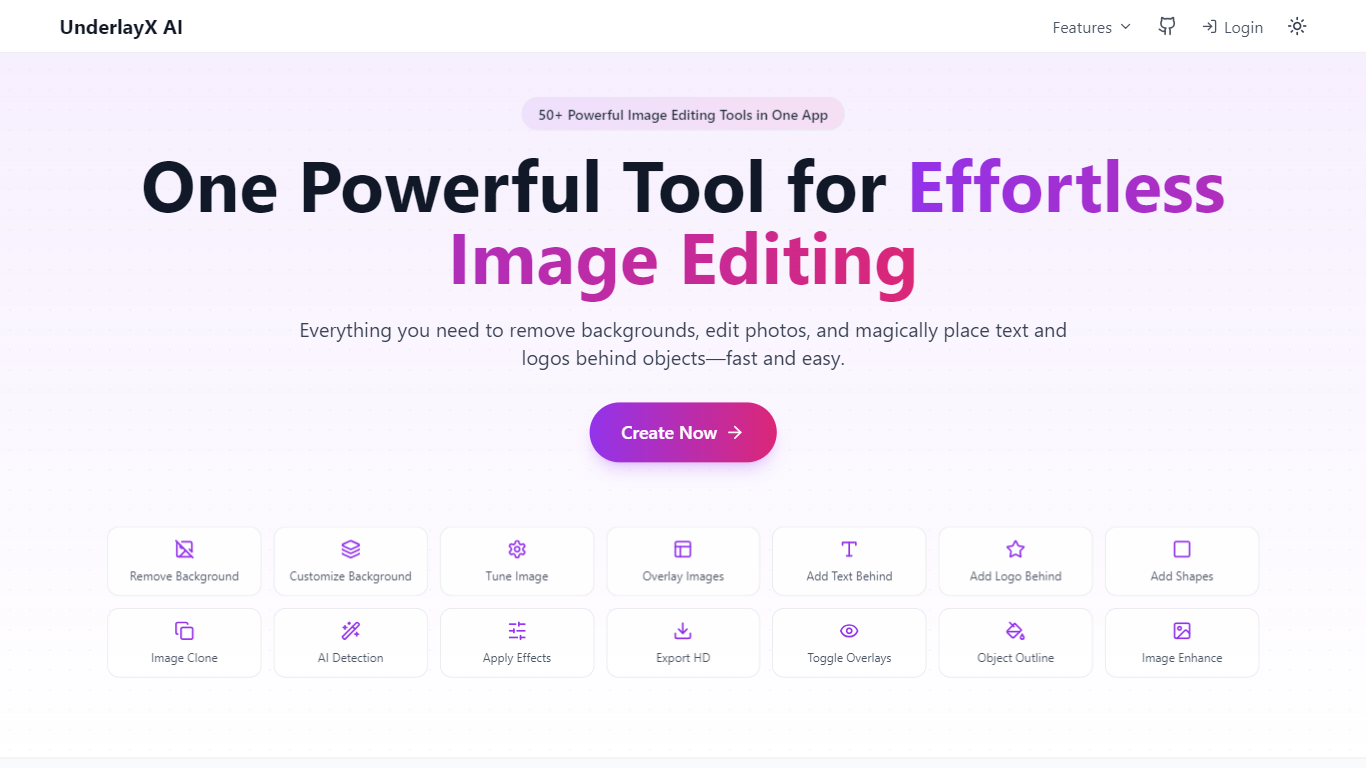
UnderlayX AI is a browser-based image editor for creators and brands who need quick visual effects without opening Photoshop. Upload a photo and use AI tools for background removal, object cloning, text-behind-image placement, smart overlays, and inpainting to fix or replace parts of an image.
The editor runs entirely in the browser with dedicated flows for common tasks like removing backgrounds, cloning foreground objects, changing backgrounds, and placing text behind subjects. Each tool has its own page and opens directly in the custom editor with the right mode preselected.
UnderlayX AI offers a free plan with limited Standard and Advanced edits, plus a Creator plan at $9 per month with unlimited Standard edits and 50 Advanced edits monthly. The site also hosts a blog with tutorials for YouTube thumbnails, social graphics, and e-commerce product photos.
Remove backgrounds with one-click AI detection and replace them with custom colors or images
Clone objects or entire foregrounds to duplicate people, products, or patterns in a photo
Place text behind subjects with smart masking for thumbnail and social post layouts
AI inpainting removes unwanted objects or adds new elements to existing images
Smart overlay blends a background image naturally behind the main subject
Free tier lets you test background removal, cloning, and text effects without installing software.
Dedicated tool pages open the editor in the right mode for each effect.
Creator plan at $9 per month includes unlimited Standard edits for heavy users.
Free plan limits are tight with only a few Standard and Advanced edits.
No desktop app; editing requires an active internet connection.
Is UnderlayX AI free to use?
Yes. The Free plan includes 2 Standard AI edits and 1 Advanced AI edit to try the tools. You can upgrade to the Creator plan at $9 per month for unlimited Standard edits and 50 Advanced edits monthly.
What can I do with UnderlayX AI?
UnderlayX AI handles background removal, object cloning, text-behind-image effects, image overlays, background changes, and AI inpainting. Each feature has a dedicated page that opens the browser editor in the right mode.
Do I need design experience to use UnderlayX AI?
No. UnderlayX AI is built for beginners and professionals alike. The AI handles masking, blending, and object detection so you can upload an image, pick a tool, and download the result in your browser.
Does UnderlayX AI work on mobile?
Yes. UnderlayX AI is responsive and works on desktop, tablet, and mobile browsers. You need an internet connection because editing runs through cloud AI services.
What image formats does UnderlayX AI support?
UnderlayX AI supports common image upload formats through its web editor. Finished edits can be downloaded in high resolution for social media, e-commerce, or print use.