
Last updated 06-29-2026
Category:
Reviews:
Join thousands of AI enthusiasts in the World of AI!
Audio Cleaner Vocal Remover
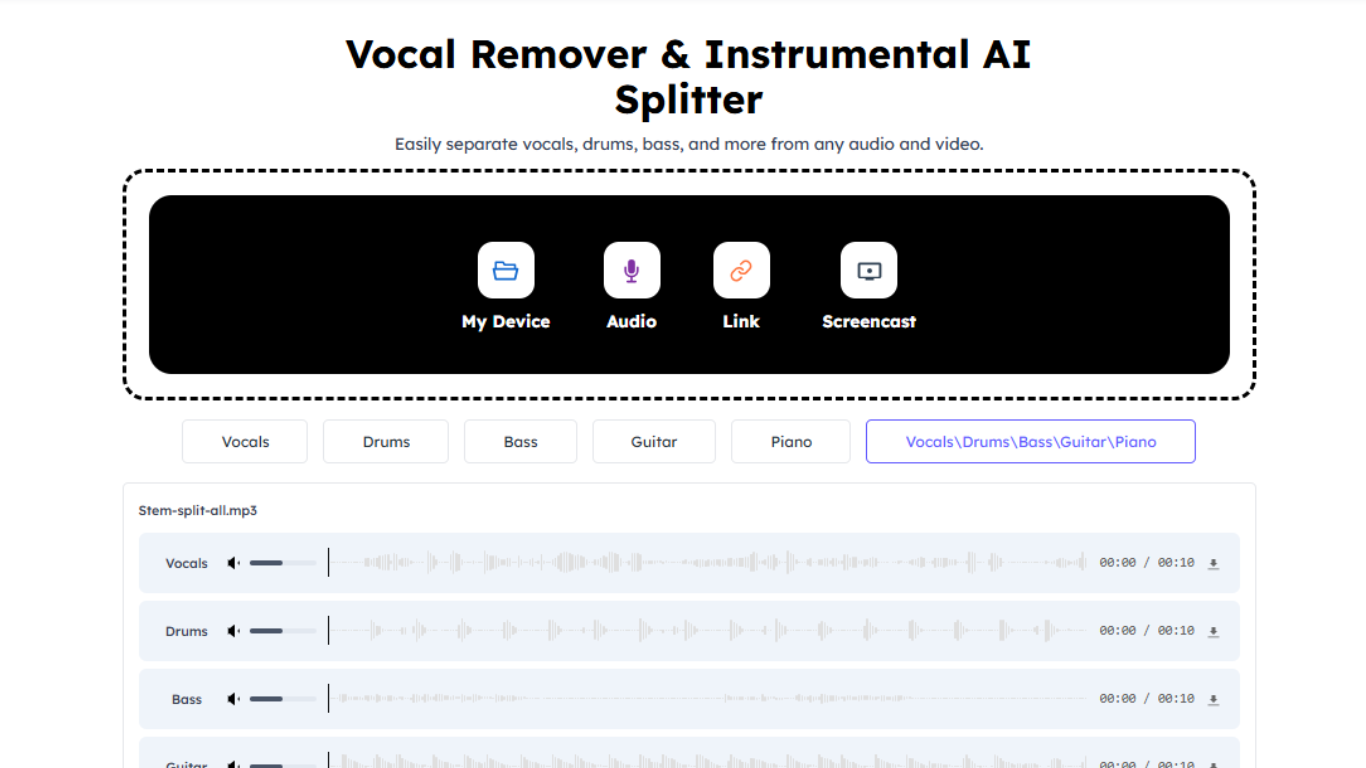
AudioCleaner Vocal Remover is an online stem splitter built for anyone who needs clean vocals or instrumentals from a song or video. Upload a file from your device, paste a link, or capture audio through a live screencast, and the service returns separate vocal and instrumental tracks in seconds.
The tool runs in the browser with no desktop install. It supports more than 20 audio and video formats, handles files up to 10 GB and three hours long, and lets you isolate individual stems such as drums, bass, guitar, piano, strings, wind, and synthesizer. Two processing models are available: AudioCleaner Model V1 for broad compatibility and Model V2 (alpha) tuned for complex mixes.
Musicians, DJs, podcasters, karaoke hosts, and video editors use it to build backing tracks, acapella clips, remix material, and cleaner dialogue beds. Paid plans add priority processing, permanent file storage, API access, and higher monthly credit limits.
Splits vocals and instrumentals from uploaded files, pasted links, or live screencasts
Isolates individual stems including drums, bass, guitar, piano, strings, and synthesizer
Accepts 20+ formats with a 10 GB file limit and up to three hours of audio per job
Offers two models: V1 for general use and V2 alpha for tougher mixes
Returns karaoke-ready instrumentals and acapella vocal tracks without manual editing
Works entirely in the browser with file upload, link paste, or live capture options
Splits individual instrument stems beyond basic vocal and instrumental separation
Generous free credit allowance at signup plus daily bonus claims
Supports long files up to three hours and 10 GB across 20+ formats
Free tier files are deleted after one day unless you upgrade
Advanced stem models and API access require a paid subscription
Credit billing rounds up to the nearest minute with a one-minute minimum
Is AudioCleaner Vocal Remover free to use?
New AudioCleaner accounts receive 35 free credits at signup. You can also claim 10 additional credits every 24 hours, up to three times. Paid subscriptions and one-time credit packs unlock higher limits and priority processing.
What file formats does AudioCleaner Vocal Remover support?
AudioCleaner Vocal Remover supports more than 20 formats, including MP3, WAV, FLAC, AAC, M4A, OGG, MP4, MOV, MKV, and WebM. Files can be up to 10 GB and three hours long.
Can AudioCleaner remove vocals from YouTube videos?
Yes. Paste a YouTube or other video link into AudioCleaner Vocal Remover and the service extracts the audio, separates the vocals, and returns an instrumental version. No separate download step is required.
How long does AudioCleaner store uploaded files?
Free users have files stored for one day before automatic deletion. Subscription plans include permanent file storage along with priority processing and email notifications when jobs finish.
Does AudioCleaner offer an API for vocal removal?
Yes. AudioCleaner provides a developer API on select paid plans. Higher tiers include API access with up to 10 or 20 concurrent jobs, documented at audiocleaner.ai/audio-cleaner-api.
Can AudioCleaner split more than just vocals and instrumentals?
Yes. Beyond standard vocal removal, AudioCleaner can isolate lead vocals, drums, bass, guitar, piano, strings, wind instruments, and synthesizer as separate downloadable stems.