
Last updated 08-12-2026
Category:
Reviews:
Join thousands of AI enthusiasts in the World of AI!
ChatBA
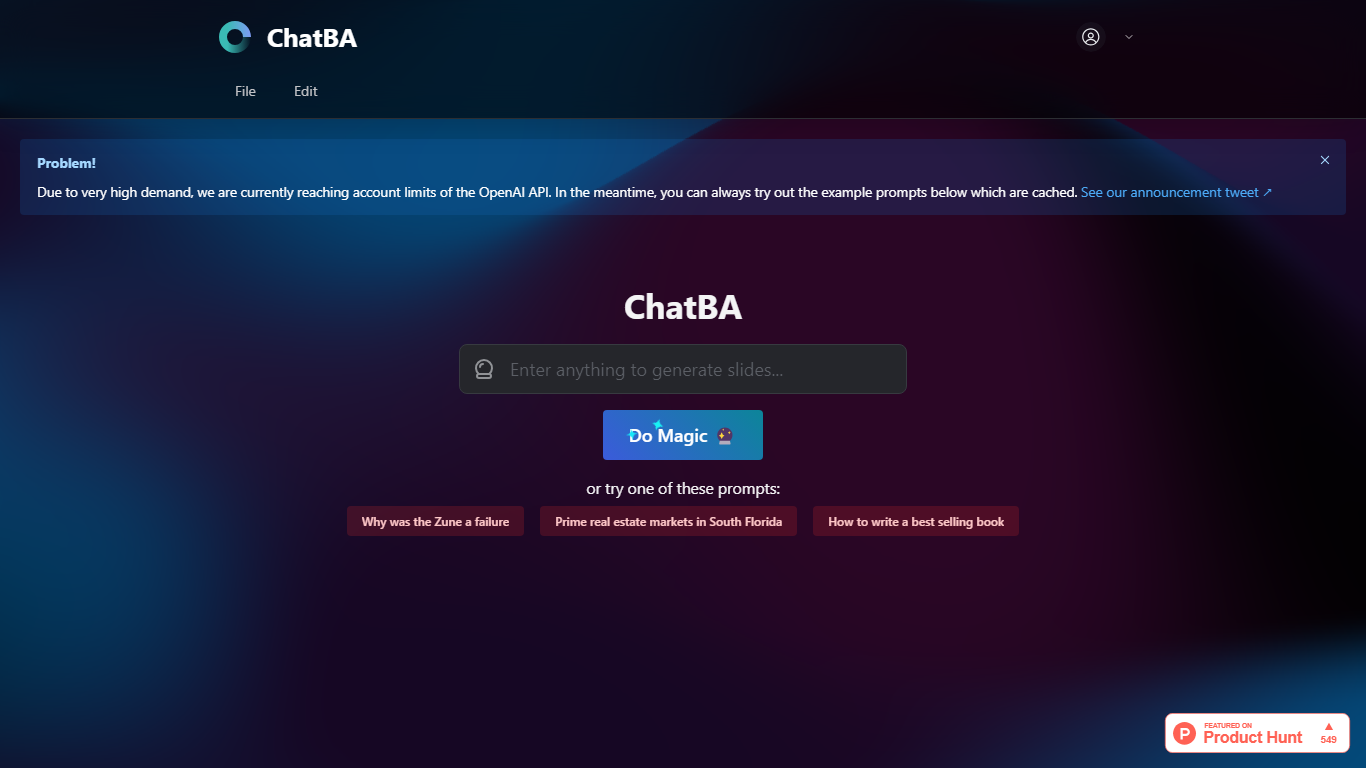
ChatBA turns a short text prompt into a full slide deck with one click. Type a topic or question, hit Do Magic, and you get a presentation instead of a chat reply. It fits anyone who needs slides fast without opening a traditional deck editor first.
Most slide tools start with blank layouts and bullet placeholders. ChatBA skips that setup and generates the full deck from natural language, similar to how ChatBCG markets generative slides on Product Hunt. The trade-off is reliance on OpenAI API capacity, and the site warns when account limits block live runs.
Students, startup founders, and consultants who prototype talks or client decks get the most value. When API limits hit, cached example prompts still load so you can preview the output style before trying your own topic.
Creates slide decks from a single text prompt via the Do Magic button
Example prompts load from cache when live API capacity is limited
Built as generative AI for slides rather than a chat-only interface
Links to ChatBCG, a related generative slide product on Product Hunt
Minimal interface with no account setup visible on the homepage
One-click Do Magic flow turns a text prompt into a full slide deck
Cached example prompts remain available when API limits block live runs
No visible signup gate on the homepage for quick trials
Focused on presentations rather than general chat responses
Live generation stops when OpenAI API account limits are reached
Homepage offers limited product detail beyond the core prompt interface
No pricing, support, or enterprise information on the public site
Thin same-domain documentation beyond the main landing page
What does ChatBA do?
ChatBA generates slide presentations from text prompts. You enter a topic like market research or book writing tips, and ChatBA builds a deck instead of returning a plain chat answer.
Is ChatBA free to use?
ChatBA appears free to try from the homepage with no pricing page listed. Live generation depends on OpenAI API availability, and the site displays a notice when account limits temporarily block new requests.
Why does ChatBA show an API limit warning?
ChatBA uses the OpenAI API for generation and displays a notice when demand exceeds account limits. During those periods, ChatBA still serves cached example prompts so visitors can preview output quality.
What example prompts does ChatBA offer?
ChatBA lists sample prompts such as why the Zune failed, South Florida real estate markets, and how to write a bestselling book. These cached examples work even when live API generation is unavailable.
How is ChatBA different from ChatBCG?
ChatBA and ChatBCG both target generative slide creation. ChatBA focuses on instant deck generation from prompts on chatba.com, while ChatBCG is promoted separately on Product Hunt as generative AI for slides.