
Last updated 07-24-2026
Category:
Reviews:
Join thousands of AI enthusiasts in the World of AI!
dypt
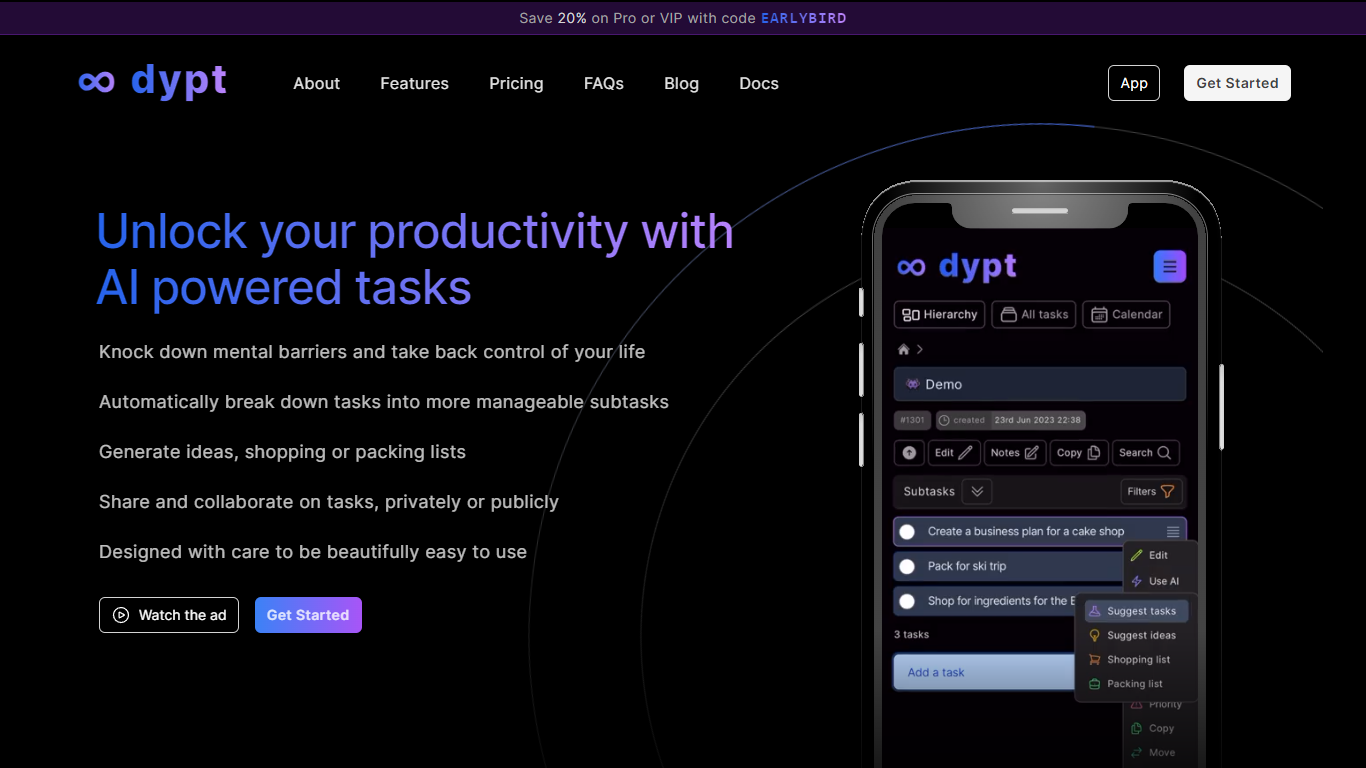
dypt is a task manager built around infinitely nested tasks and AI-assisted planning. Instead of flat to-do lists, you organize work into hierarchies as deep as you need, breaking large projects into smaller steps until each item feels manageable.
The product is built by Dane Poyzer, a UK-based developer who started dypt after struggling with task management as a startup founder and parent. It is operated by Poyzer Tech Limited and targets people who want structure without heavyweight project management software.
AI features are woven into everyday task workflows: automatic breakdowns, time estimates, image-to-task capture, note cleanup, and extraction of action items from notes. You can choose Fast or Deep mode depending on how thorough you want the output.
dypt runs in the browser on any device and also offers a published CLI (@dypt/cli) for terminal-based task management with JSON output for scripts and coding agents. Tasks can be shared publicly or collaborated on privately depending on your plan.
Split tasks into nested subtasks at any depth until work feels manageable
AI breaks big tasks into subtasks, generates idea lists, and builds shopping or packing lists
Snap a photo of a whiteboard or handwritten notes and turn it into trackable tasks
Set deadlines, up to three reminders per task, and view everything on a calendar
Share tasks publicly or collaborate privately with teammates, family, or friends
Install the @dypt/cli npm package to manage tasks from the terminal with JSON output
Free Starter tier includes core task hierarchy and 25 monthly AI actions
Infinitely nested tasks with move and copy support across the hierarchy
Published CLI with JSON output fits coding agent and automation workflows
Public sharing lets anyone view tasks without creating an account
No native mobile apps are listed; access is browser-based
AI actions are capped monthly and reset each billing cycle
Some role-specific templates for founders, freelancers, and students are still marked coming soon
Is dypt free to use?
Yes. The Starter plan is $0 per month and includes 100 tasks, 25 AI actions per month, public and private sharing with one person, and weekly email reports. No credit card is required to sign up.
What are AI actions in dypt?
AI actions are uses of dypt's built-in AI features, such as breaking down tasks, generating time estimates, creating tasks from an image, cleaning up notes, and extracting tasks from notes. Each use consumes one action, and your allowance resets at the start of each billing month.
Does dypt have a mobile app?
dypt does not list native iOS or Android apps. You can access it in a browser on any device, including phones and tablets.
Can I use dypt from the terminal?
Yes. dypt publishes an npm CLI package (@dypt/cli) that lets you list, create, update, and inspect tasks from the terminal. Most commands support JSON output for scripts and coding agents.
How does private sharing work on dypt?
Private sharing lets you invite other people to view and collaborate on tasks. Starter includes private sharing with one person per task, Pro supports up to five people, and VIP supports up to twenty. The people you share with do not need a paid plan.