
Last updated 08-10-2026
Category:
Reviews:
Join thousands of AI enthusiasts in the World of AI!
Myvoicemod
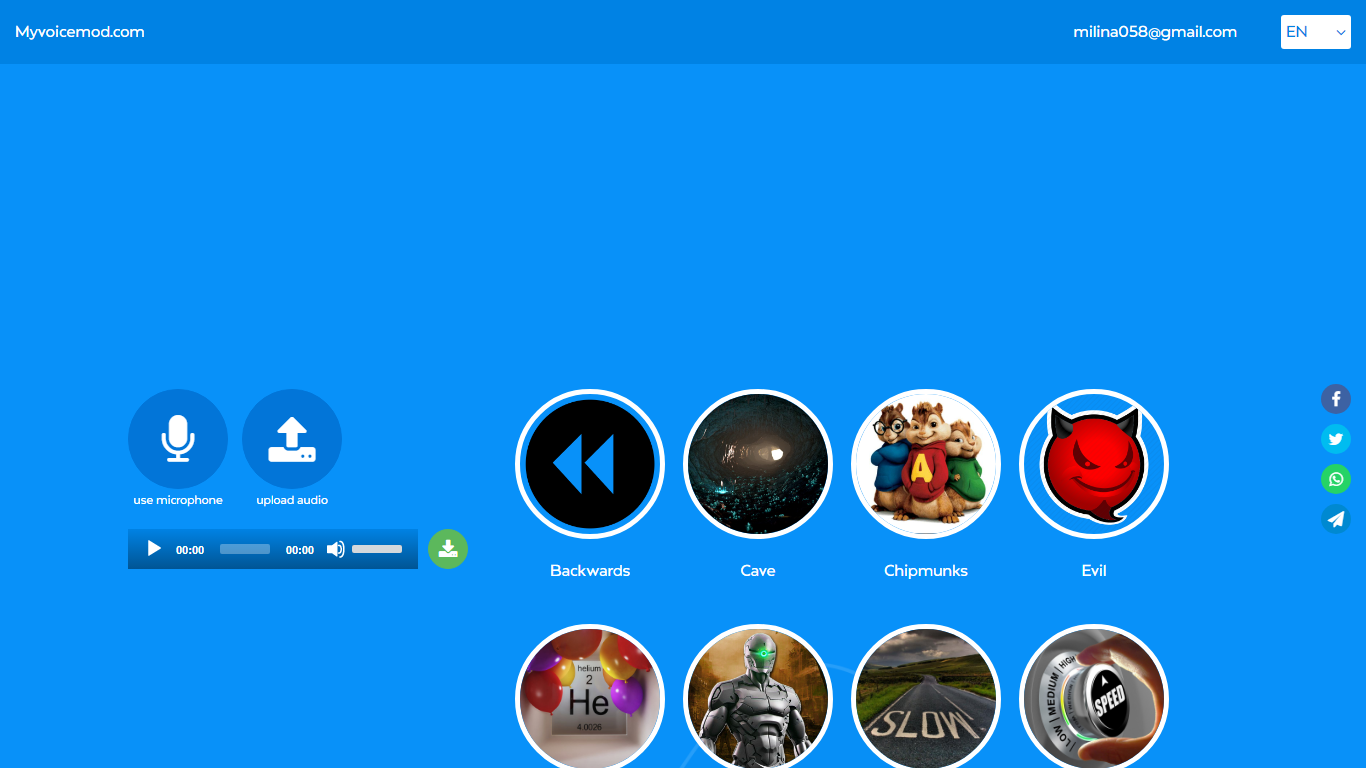
Myvoicemod is a browser-based voice changer that applies effects to live microphone input or uploaded audio files. Pick from presets like Robot, Chipmunks, Cave, Megaphone, or Underwater, record a clip, and download the modified file. No account or software install is required.
Desktop voice changers like Voicemod need a local install and often charge for premium effects. Myvoicemod runs entirely in the browser, which makes it handy for quick pranks, Discord clips, or testing how a recording sounds with a different pitch. The trade-off is fewer controls than a full desktop app and no real-time system-wide voice routing.
Gamers, content creators, and anyone who wants a fast voice effect for a message or prank are the target users. The service is free with at least 12 effect presets available online.
12 voice effects including Robot, Chipmunks, Cave, Megaphone, and Underwater
Record live from your microphone or upload an existing audio file
Stack multiple effects and compare variants before downloading
Works in the browser with no account or software installation
Download the processed clip to your computer or tablet
No install or account needed to apply voice effects in the browser
12 preset effects cover common prank and creative use cases
Lets you stack effects and pick the best variant before downloading
No real-time system-wide voice routing like desktop voice changers
Fewer controls and customization options than paid apps like Voicemod
Requires browser microphone access for live recording
Is Myvoicemod free to use?
Yes, Myvoicemod is a free online voice changer. You can record or upload audio, apply effects, and download the result without creating an account or paying.
What voice effects does Myvoicemod offer?
Myvoicemod includes effects like Robot, Chipmunks, Cave, Evil, Heli, Megaphone, Radio, Space, Underwater, Backwards, Slow, and Fast. You can layer multiple effects on one recording.
Can I use Myvoicemod with Discord?
Yes. Myvoicemod can be used to create voice clips for Discord. Record or upload audio, apply an effect, download the file, and share it in your chat or server.
Do I need to install software for Myvoicemod?
No. Myvoicemod runs entirely in your web browser. Press the microphone button to record or upload an audio file, apply effects, and download the result.
Can I upload my own audio to Myvoicemod?
Yes. Myvoicemod accepts uploaded audio files in addition to live microphone recording. Apply any effect preset and download the modified version.