
Last updated 08-31-2026
Category:
Reviews:
Join thousands of AI enthusiasts in the World of AI!
Sheety.ai
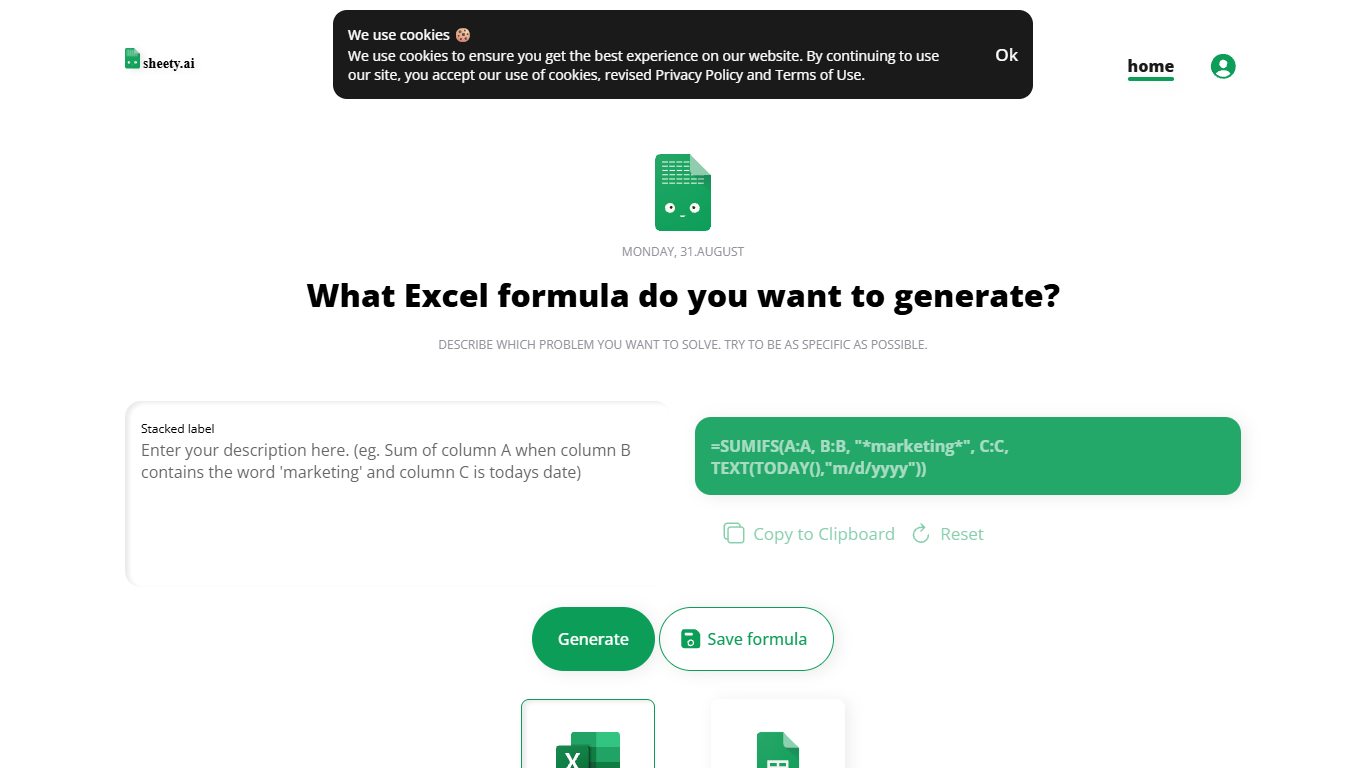
Describe a spreadsheet problem in plain words and Sheety.ai returns a formula ready to copy into Excel or Google Sheets. You pick the platform, generate the result, and paste it into your workbook. The homepage centers on one input box with generate, copy, reset, and save actions.
Unlike broader spreadsheet copilots that edit whole workbooks, Sheety.ai returns only the formula string for you to paste. That narrow focus keeps the workflow quick for one-off lookups and avoids tying you to a single platform thanks to the Excel and Google Sheets toggle.
Anonymous visitors can run 5 formula generations without signing up. A free account removes that limit, lets you save formulas to your profile, and syncs them for access from anywhere. The homepage also lists Latest Formulas other users have shared.
Sheety.ai is developed and hosted in Switzerland, and the homepage states that the team cares about user privacy. Saved formulas stay tied to registered accounts, and the site highlights Swiss hosting as part of its privacy positioning.
Describe your spreadsheet problem in words and get a ready-to-paste formula back
Switch output between Excel and Google Sheets before you generate
Anonymous visitors get 5 formula generations; free accounts unlock unlimited use
Copy results to the clipboard or save formulas to your account profile
Browse the Latest Formulas section on the homepage for shared examples
Turns plain-language requests into copy-ready Excel or Google Sheets formulas.
Free to use, with unlimited generations after you create an account.
Saved formulas stay in your profile for reuse across sessions.
Swiss hosting is called out on the site as a privacy-focused choice.
Anonymous users are limited to 5 formula generations before signup.
The site does not publish paid tiers or enterprise pricing options.
Privacy and impressum pages load as app shells, so legal contact details are not visible in static fetches.
How does Sheety.ai create spreadsheet formulas?
Sheety.ai asks you to describe the problem you want to solve in plain language. It then generates a formula you can copy into Excel or Google Sheets based on that prompt.
Does Sheety.ai support both Excel and Google Sheets?
Yes. Sheety.ai lets you choose Excel or Google Sheets before generating a formula, so the output matches the platform you are using.
Is Sheety.ai free to use?
Sheety.ai is free. Anonymous users can generate up to 5 formulas, and creating a free account removes that limit for unlimited formula generation.
Can I save formulas on Sheety.ai?
Yes. Registered users can save formulas to their Sheety.ai account and access them later from any device with an internet connection.
Do I need an account to try Sheety.ai?
No. You can generate formulas without signing up, but anonymous use is capped at 5 formulas. A free account is required for unlimited access and saved formulas.
Where is Sheety.ai hosted?
Sheety.ai states that it is developed and hosted in Switzerland. The homepage also notes a privacy-focused approach to handling user data.