
Last updated 07-22-2026
Category:
Reviews:
Join thousands of AI enthusiasts in the World of AI!
sshx
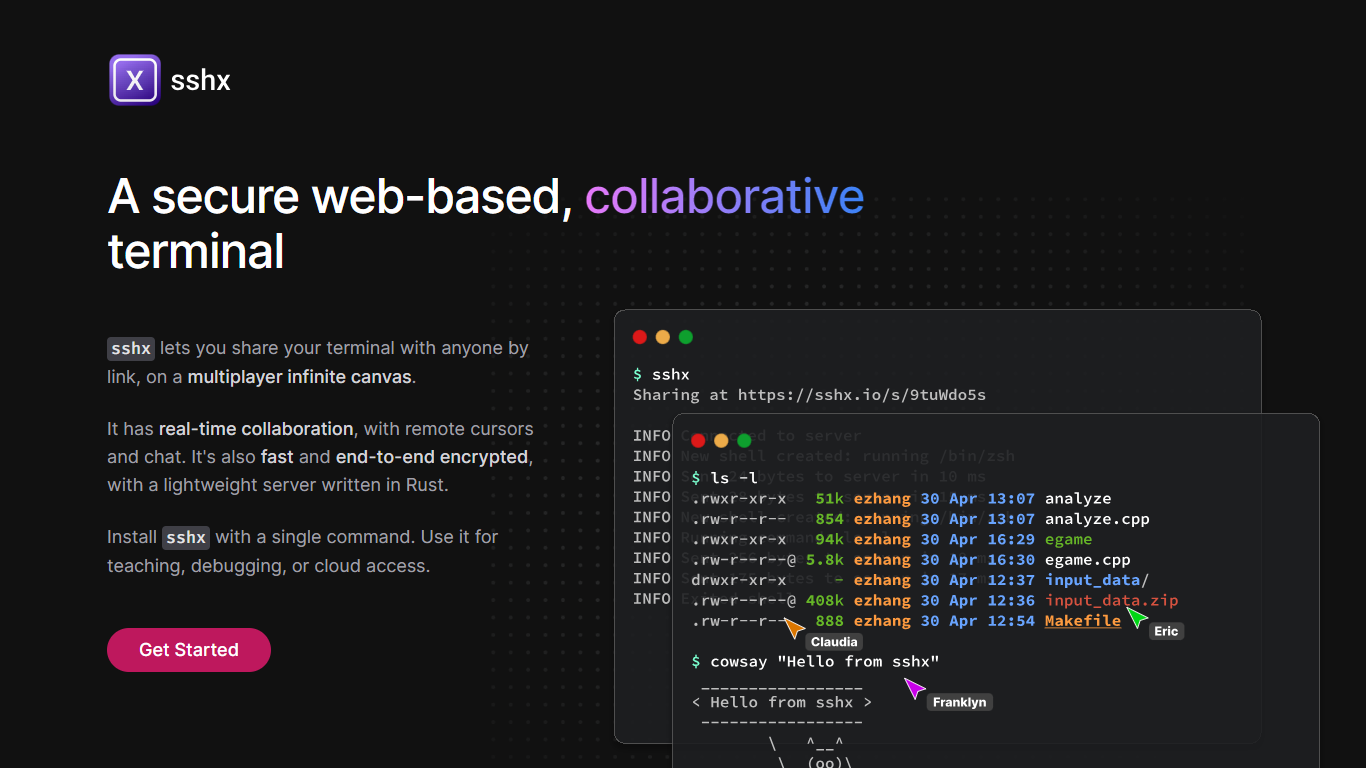
sshx lets you share your terminal with anyone through a browser link. Sessions run on a multiplayer infinite canvas where multiple people can collaborate at once with live cursors and chat.
A lightweight Rust server handles networking with end-to-end encryption, so session data stays private. The project is open source and installs on macOS, Linux, Windows, and FreeBSD with a single curl command or prebuilt binaries.
Developers use sshx for pair debugging, teaching command-line workflows, remote cloud access, and pausing GitHub Actions runs to open a live collaborative shell.
Share a terminal session with one secure browser link
Live cursors and chat so collaborators see who's doing what
Arrange multiple terminals on an infinite canvas you can resize freely
End-to-end encryption keeps keystrokes off the server
Mesh networking routes you to the nearest distributed peer for low latency
One curl command installs the CLI on macOS, Linux, or Windows
GitHub Actions workflows can pause and spawn a collaborative debug session
Free and open source with no subscription or usage fees
End-to-end encryption keeps terminal input off the server
Cross-platform CLI with one-line install on macOS and Linux
Built-in chat and live cursors make remote debugging feel like pair programming
Requires installing a command-line tool before sharing sessions
No hosted pricing or enterprise support page on sshx.io
Collaboration depends on sshx.io infrastructure unless self-hosted
Is sshx free to use?
Yes, sshx is free and open source. The sshx.io site lists no paid plans, subscriptions, or credit packs.
What platforms does sshx support?
sshx provides CLI binaries for macOS, Linux, Windows, and FreeBSD. You can also build from Rust source with cargo install sshx.
How do I install sshx?
On macOS or Linux, run curl -sSf https://sshx.io/get | sh. Windows users can download a zip from the installation section on sshx.io.
Is sshx secure?
sshx uses end-to-end encryption for terminal sessions. The server cannot read what you type during a shared session.
Can I use sshx in GitHub Actions?
Yes. sshx supports CI workflows. Run curl -sSf https://sshx.io/get | sh -s run in GitHub Actions to pause the workflow and start a collaborative session.
Does sshx require an account?
sshx does not mention account registration on its homepage. You install the CLI and share sessions via generated browser links.