
Last updated 07-01-2026
Category:
Reviews:
Join thousands of AI enthusiasts in the World of AI!
TalkingPDF.io
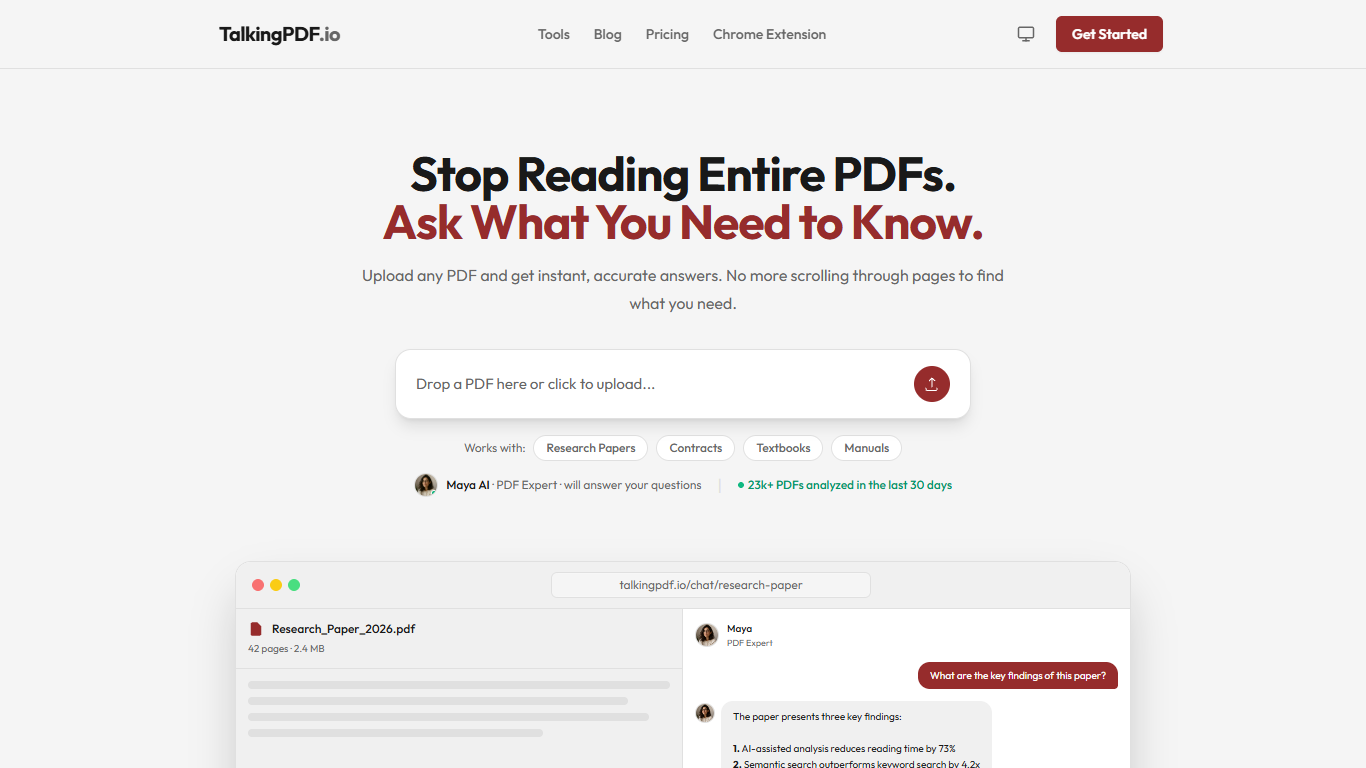
TalkingPDF.io lets you upload a PDF and ask questions about its contents in plain language instead of scrolling page by page. Drop in research papers, contracts, textbooks, or manuals and get cited answers within seconds.
The product centers on a chat interface with Maya, its PDF expert assistant. You can query one document, search semantically across multiple PDFs, and work with scanned files after built-in OCR extracts the text.
IndianAppGuy Tech Pvt Ltd also ships free browser tools on the site, including PDF-to-text extraction and multi-PDF search, plus a Chrome extension for chatting with documents from the browser.
Students, legal teams, researchers, and business analysts use it to pull clauses, summarize sections, compare tables, and troubleshoot technical manuals without rereading entire files.
Ask in plain language and get answers with page and section references
OCR handles scanned PDFs and images before you start chatting
Query multiple PDFs at once with semantic search across files
Free PDF-to-text extractor runs in your browser with no signup
Supports English, Spanish, French, German, Italian, Portuguese, and more
Free tier includes 3 PDF uploads and 20 questions with no credit card required.
Answers include page references so you can verify details in the source document.
Handles scanned documents through OCR, not just text-based PDFs.
Free plan caps uploads at 3 PDFs and questions at 20.
Premium starts at $8 per month for unlimited usage.
No dedicated mobile app; access is through the browser and Chrome extension.
Does TalkingPDF.io have a free plan?
Yes. TalkingPDF.io offers a free plan that lets you upload up to 3 PDFs and ask 20 questions so you can try the product before paying. Premium plans remove those limits.
What types of PDFs does TalkingPDF.io support?
TalkingPDF.io supports academic papers, legal documents, corporate reports, textbooks, technical manuals, and scanned PDFs. OCR extracts text from scanned files so you can chat with them like any other document.
Can I chat with multiple PDFs at once on TalkingPDF.io?
Yes. TalkingPDF.io lets you upload multiple PDFs and ask questions across all of them at once. Its multi-PDF search finds relevant details across documents in a single query.
How much does TalkingPDF.io premium cost?
TalkingPDF.io Premium Monthly costs $8 per month. Premium Yearly costs $80 per year, which saves over 16% compared to monthly billing. Both paid plans remove PDF length, upload, and question limits.
Is my data secure on TalkingPDF.io?
TalkingPDF.io states that uploaded documents are encrypted and are not shared with third parties. You can delete your documents at any time from your account.
What languages does TalkingPDF.io support?
TalkingPDF.io supports English, Spanish, French, German, Italian, Portuguese, and additional languages. You can ask questions and receive answers in multiple languages.
Does TalkingPDF.io have a Chrome extension?
Yes. TalkingPDF.io offers a Chrome extension listed in its site navigation so you can work with PDFs directly from the browser alongside the web app.