
Last updated 08-09-2026
Category:
Reviews:
Join thousands of AI enthusiasts in the World of AI!
ChatDOC
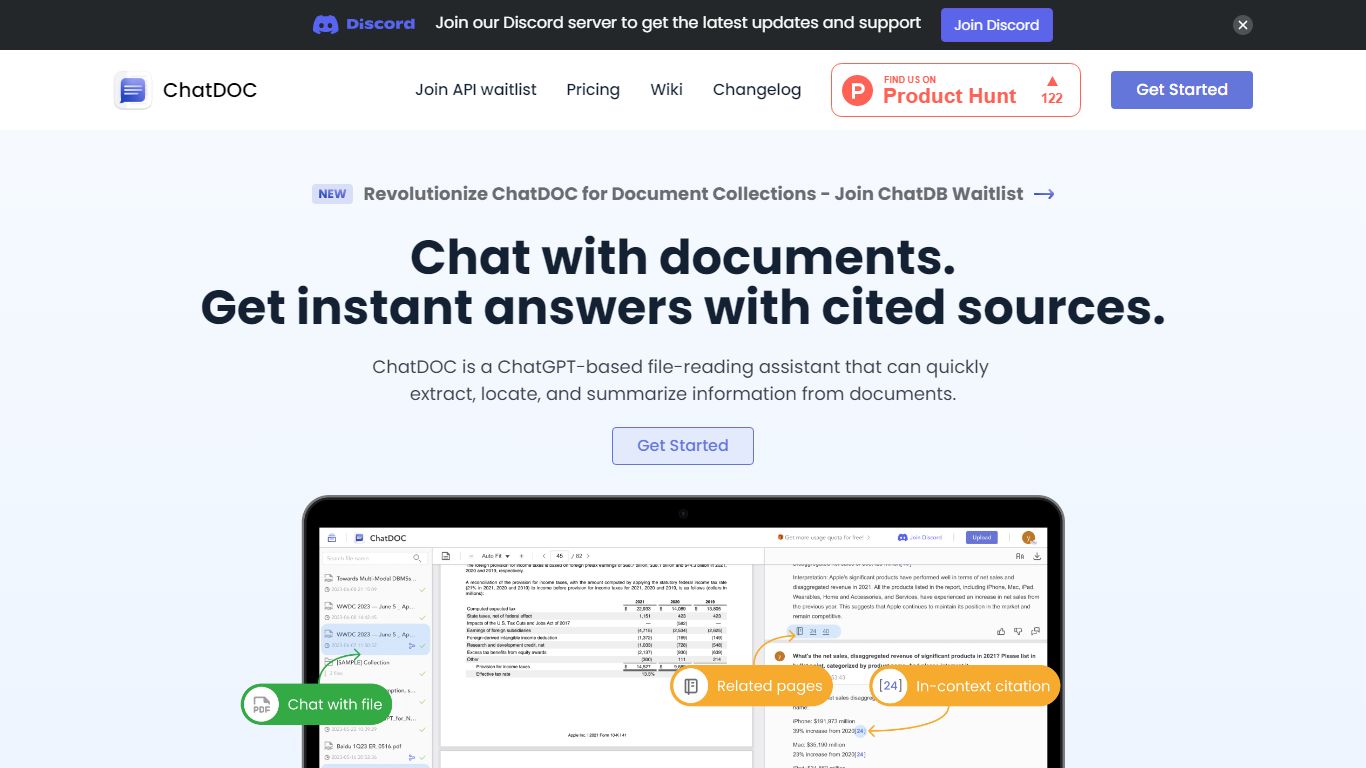
ChatDOC lets you upload documents and ask questions in plain language, then jump to the exact passage that supports each answer. Its TapSource citations link responses back to page numbers, highlighted quotes, and table cells so you can verify claims before sharing. The site reports more than 1,000,000 users worldwide.
Most PDF chat tools summarize without traceable sources. ChatDOC runs a Parse, Chat, and Verify workflow and lets you query across folders of files, highlight a paragraph for targeted follow-ups, and switch between models like GPT-4 and Claude from the guide docs.
Researchers, lawyers, business analysts, and students use ChatDOC to summarize long reports, extract table data, and chat with websites or scanned files. Free accounts start with 100 questions and PDF uploads capped at 3 pages per file; Pro unlocks unlimited pages and formats including DOC, scans, EPUB, and Markdown.
TapSource citations jump to page numbers, quotes, and table values in the source file
Supports PDF, DOC, DOCX, scans, websites, EPUB, Markdown, and TXT uploads
Free tier includes 100 document questions with PDF files capped at 3 pages each
Pro unlocks unlimited pages per file and unlimited files per collection
Query folders of documents in one chat thread across multiple files
Chrome and Edge browser extensions for in-page document analysis
TapSource citations link every answer back to the source passage.
Folder uploads let you query across multiple documents in one chat.
Supports scans, websites, and office formats beyond PDF on Pro.
Chrome and Edge extensions extend analysis outside the web app.
Free plan limits files to 3 pages and PDF format only.
Pro pricing is not listed publicly on the marketing page.
Requires an internet connection; no offline document processing.
Is ChatDOC free to use?
Yes. ChatDOC offers a free plan with limited uploads and questions, including 100 questions on the signup flow. Upgrade to Pro for unlimited pages and additional file formats.
What file types does ChatDOC support?
ChatDOC supports PDF, Word (.doc/.docx), Markdown, ePub, TXT, and scanned documents on paid plans. The free plan limits uploads to PDF files with a 3-page cap per file.
How does ChatDOC cite its answers?
ChatDOC uses TapSource citations that link each answer to page numbers, highlighted text jumps, and referenced table values. You can click footnotes to reveal the original context in the document.
Can ChatDOC analyze multiple documents?
Yes. ChatDOC lets you upload folders and query across multiple files in one thread. You can also highlight a paragraph or table and ask targeted follow-up questions on the selection.
Does ChatDOC work in a browser extension?
Yes. ChatDOC offers Chrome and Edge extensions listed on its homepage for analyzing PDFs and documents while you browse. The web app also runs in any modern browser.
How do I contact ChatDOC support?
ChatDOC lists support email [email protected] in its guide documentation. The help center also links Discord, GitHub issues, and Twitter for community support.