
Last updated 07-18-2026
Category:
Reviews:
Join thousands of AI enthusiasts in the World of AI!
Chatzap
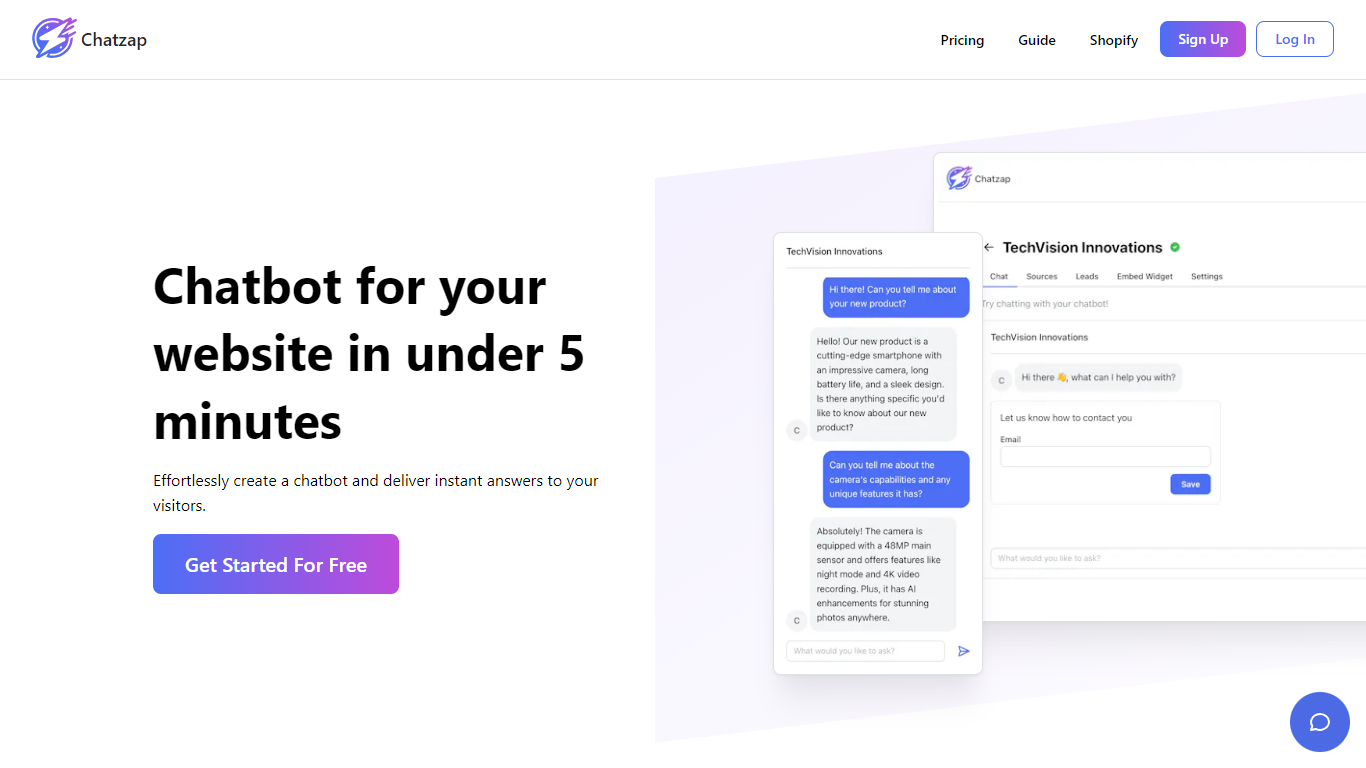
Chatzap is an AI sales chatbot built for SaaS companies. You give it your website URL, it learns your product details, and you embed a chat widget that talks to visitors and nudges them toward a purchase.
The bot tailors responses to each visitor instead of running a fixed script. You can customize how the widget looks so it matches your site, test it from your dashboard before going live, and collect contact details from interested visitors for follow-up.
It fits SaaS founders, growth marketers, and sales teams who want automated lead qualification on their site without hiring a round-the-clock sales rep. The widget loads asynchronously, so it should not slow down your page.
Point it at your website and it trains on your product content automatically
Embed with one script tag; async loading keeps your page speed intact
Customize widget colors and layout with a live preview before publishing
Collects visitor contact details during chats for sales follow-up
Responds in 95 languages based on how your visitor writes
Free tier includes enough credits to test a full chatbot before paying.
Chatbots can be embedded on unlimited websites from one account.
Yearly billing saves two months compared to paying monthly.
API access and analytics are marked as coming soon on paid plans.
Using your own OpenAI API key for overages is not available yet.
The Basic plan still limits you to one chatbot despite the higher price.
What is Chatzap?
Chatzap is an AI sales chatbot for SaaS websites. It learns your product from your site, embeds as a chat widget, and engages visitors with personalized responses aimed at converting them into paying customers.
Is there a free plan for Chatzap?
Yes. Chatzap's free plan includes one chatbot trained on up to 400,000 characters and 100 message credits per month. You can test the full workflow before upgrading to a paid plan.
What are message credits on Chatzap?
Each message sent to a Chatzap chatbot, whether from a visitor or from you during testing, uses one message credit. Credits are shared across all your chatbots and reset monthly on your billing cycle.
How do I embed Chatzap on my website?
After creating your chatbot in the Chatzap dashboard, paste the provided script tag into your website HTML. The script uses async loading, so it runs after the rest of your page finishes loading.
Where is Chatzap data stored?
Chatzap stores your data content on AWS servers in the US East region. Payment processing is handled by Stripe, and the company is based in California.
Does Chatzap support multiple languages?
Yes. Chatzap supports 95 languages and responds based on the language your visitor uses in the chat conversation.
Can I use my own OpenAI API key with Chatzap?
Not yet. Chatzap plans to add support for using your own OpenAI key for message overages, but that feature is not available at this time.