
Last updated 08-14-2026
Category:
Reviews:
Join thousands of AI enthusiasts in the World of AI!
Paxo
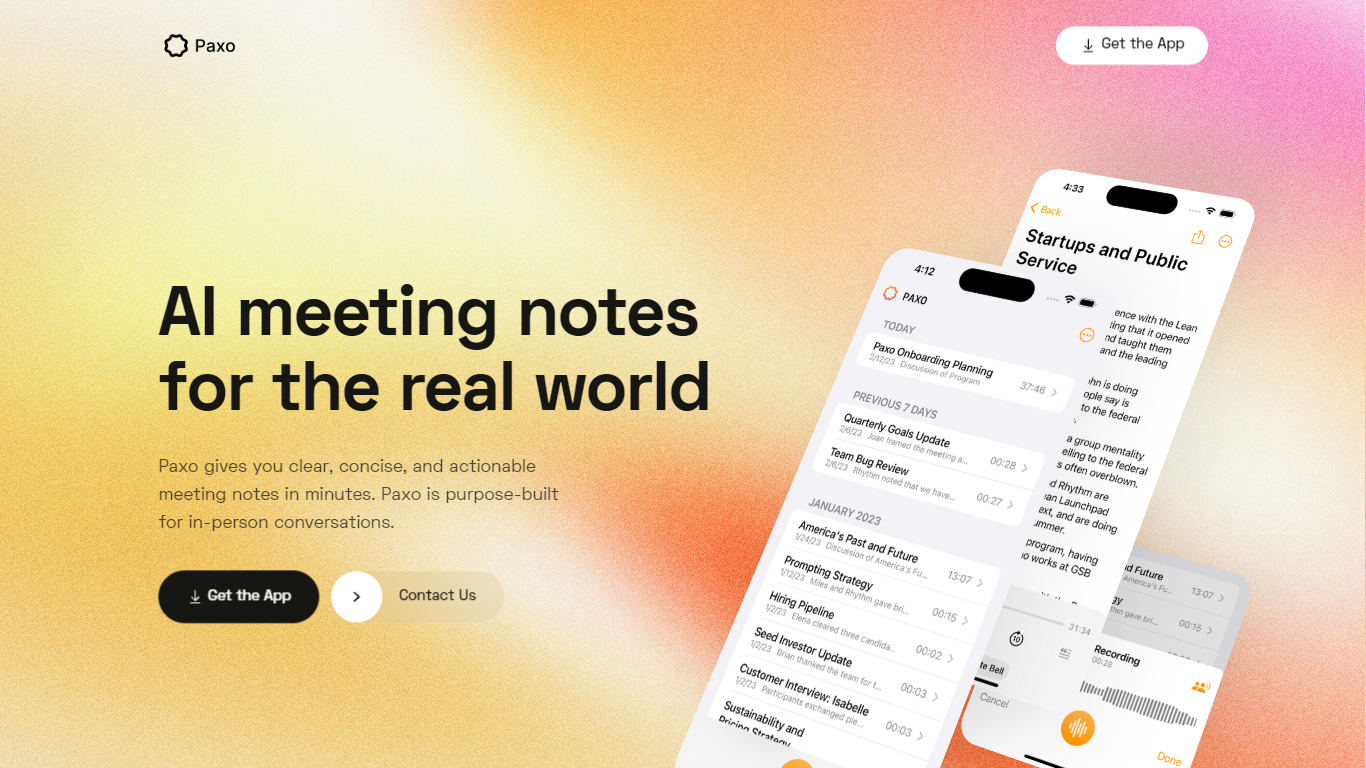
Paxo is an iPhone meeting assistant built for in-person conversations rather than calendar bots. You hit record in the app, Paxo transcribes the audio, and you get searchable notes with speaker labels after you assign voices from your Contacts. The homepage pitches it for face-to-face meetings, desk-side Zoom calls, and walking conversations where a browser extension would not follow you.
Most meeting note tools assume a video call with a shared link. Paxo records from the phone microphone, stores recordings on device, and syncs across Apple devices through iCloud. Server processing is limited to transcription and note generation, and the privacy policy says recordings are deleted from Paxo servers once processing finishes.
Managers, consultants, and field teams use Paxo to capture decisions without typing during meetings. Voice identification learns teammates over time, exports can go to Notion, Obsidian, or Google Docs, and the interface keeps past recordings organized and searchable.
iOS app records in-person, walking, or desk-side Zoom conversations from the phone microphone
Speaker identification learns contacts and recommends labels for future recordings
Recordings stored on device with optional iCloud sync across Apple devices
Server-side transcription using OpenAI with recordings deleted after processing per privacy policy
Search across notes and transcripts with import and export to Notion, Obsidian, and Google Docs
Privacy policy updated August 18, 2024 from Paxo Assist LLC with [email protected] contact
Crash reporting via Sentry without sending recordings in crash reports
Built for in-person and mobile meetings instead of browser-based call bots.
On-device recording with server audio deleted after transcription per privacy policy.
Speaker identification tied to iOS Contacts with export to Notion, Obsidian, and Google Docs.
iCloud sync keeps recordings available across Apple devices.
iOS-only distribution with no Android or desktop app listed on the website.
Website SSL errors blocked direct HTML scraping during enrichment.
Premium plan pricing is only published in the App Store, not on paxo.ai.
What is Paxo designed for?
Paxo is purpose-built for in-person meeting notes according to its homepage. You record conversations on your iPhone, including face-to-face meetings, walks, or Zoom calls with the phone on your desk.
Does Paxo store recordings in the cloud?
Paxo stores recordings on your device and can sync them across Apple devices using iCloud. Its privacy policy states recordings are sent to Paxo servers only for transcription and are deleted after processing.
How does Paxo speaker identification work?
Paxo recommends speaker assignments after you map voices to Contacts. The homepage says Paxo learns team voices and suggests labels for future recordings so notes show who said what.
Can I export Paxo meeting notes?
Yes. Paxo supports importing and exporting data to avoid lock-in, and the homepage lists Notion, Obsidian, and Google Docs as export targets alongside general import and export options.
Who makes Paxo?
Paxo is owned by Paxo Assist LLC according to the terms and privacy page on paxo.ai. You can contact the team at [email protected] or [email protected] for support questions.
What platforms does Paxo support?
Paxo is distributed as an iOS app linked from paxo.ai with a Get the App button to the Apple App Store. The product is built as a mobile recorder rather than a desktop meeting bot.